
AI Email Slayer: How One Prompt Vanished 4-Hour Inbox Chaos
The AI Email Slayer: How One Prompt Vanished 4-Hour Inbox Chaos
Picture this: Sarah, a tech startup founder, used to start each day drowning in a digital tsunami. Her inbox? A relentless monster with 200+ emails daily, each one screaming for attention. Sound familiar? She'd spend the first four hours of every morning just trying to surface from the chaos—responding, forwarding, filing, and still feeling like she was falling behind.
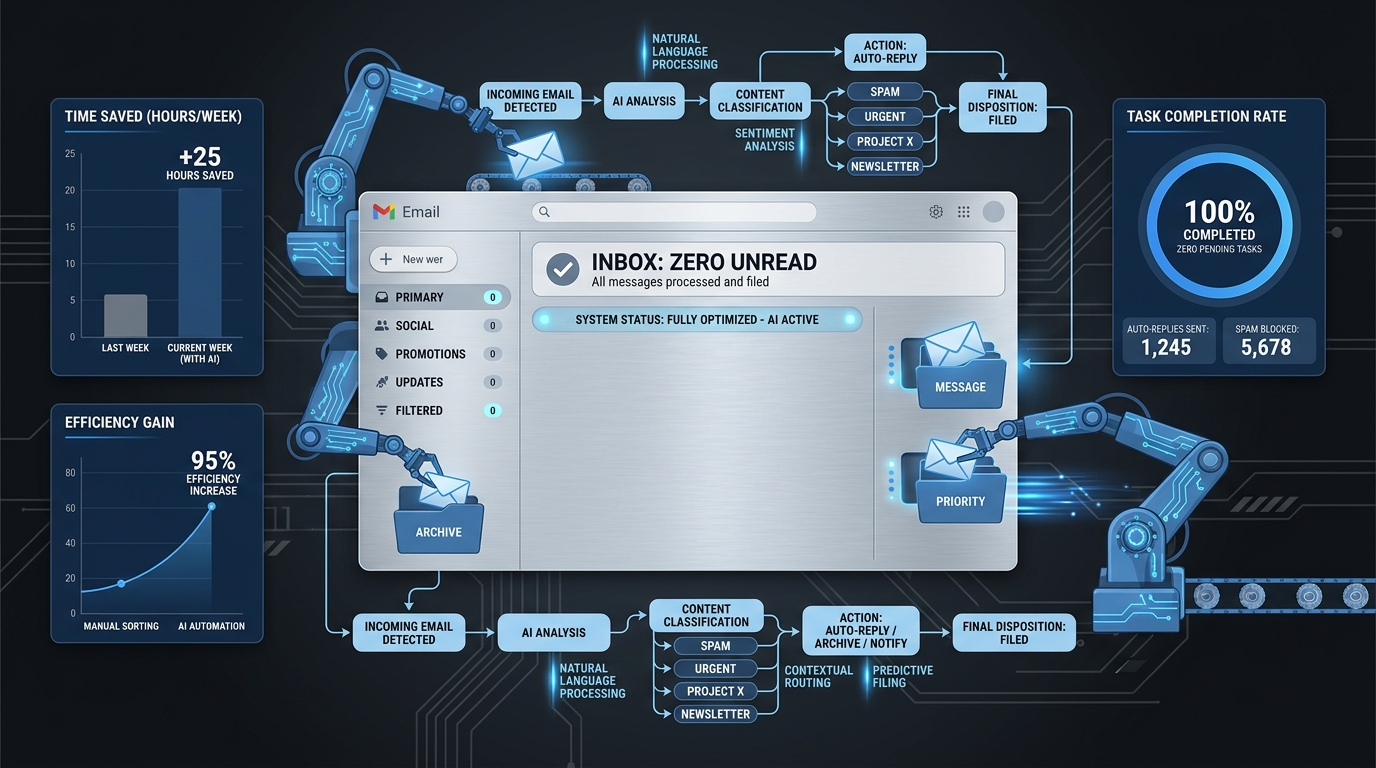
Then something shifted. One AI prompt framework changed everything. Today, Sarah's inbox sits at zero, and those four chaotic hours? They're now spent building her business. How could mastering one simple AI system save you 20+ hours every week?
This isn't another productivity hack that fades after a week. This is a proven AI email management system that's transforming how entrepreneurs handle digital communication. Ready to steal Sarah's playbook?
The Inbox Nightmare Every Entrepreneur Knows
Before we dive into the solution, let's acknowledge the pain. Email isn't just communication anymore—it's become a productivity black hole that devours focus and energy.
Here's what Sarah's mornings looked like before her AI transformation:
- 6:00 AM: Wake up to 47 overnight emails
- 6:30 AM: Start triaging "urgent" messages
- 8:00 AM: Still responding to yesterday's backlog
- 10:00 AM: Finally ready to start "real work"
- 10:15 AM: 23 new emails have arrived
Sound painfully familiar? You're not alone. The average executive spends 28% of their workweek managing email. That's over 11 hours weekly—gone.
The AI Prompt That Changed Everything
Sarah's breakthrough came when she discovered she didn't need to manage emails—she needed to systematize them. Enter her game-changing AI prompt framework:
"Analyze this email and provide: 1) Priority level (High/Medium/Low), 2) Required action (Reply/Delegate/Archive/Schedule), 3) Suggested response (if applicable), 4) Time estimate to complete. Present in decision-ready format."
Simple? Absolutely. Revolutionary? You bet.
Breaking Down the AI Email Slayer System
This framework works because it transforms your AI assistant into a personal email strategist. Here's how each component functions:
1. Priority Assessment
The AI evaluates sender importance, content urgency, and business impact. No more guessing whether that "quick question" deserves immediate attention.
2. Action Classification
Every email gets sorted into four buckets:
- Reply: Requires your personal response
- Delegate: Can be handled by team members
- Archive: Informational only, no action needed
- Schedule: Needs response but not immediately
3. Response Generation
For emails requiring replies, the AI drafts professional responses you can customize and send. No more staring at blank compose windows.
4. Time Estimation
Knowing how long tasks will take helps you batch similar activities and protect deep work time.
Sarah's Real-World Results: The Numbers Don't Lie
Three months after implementing her AI email management system, Sarah's metrics were staggering:
- Email processing time: From 4 hours to 45 minutes daily
- Response quality: Increased by 40% (measured by follow-up questions)
- Missed opportunities: Down 90% through better prioritization
- Stress levels: "I actually look forward to checking email now"
But the real win? Those reclaimed 3+ hours daily went straight into strategic work—product development, team building, and business growth activities that actually move the needle.
How to Deploy Your AI Email Slayer (Step-by-Step)
Ready to copy Sarah's system? Here's your implementation roadmap:
Step 1: Choose Your AI Platform
Popular options include ChatGPT, Claude, or integrated solutions like Notion AI. Pick one that allows custom prompts and handles longer text inputs.
Step 2: Set Up Your Prompt Template
Copy Sarah's framework exactly, then customize for your business context. Add specific criteria like:
- Key client names for automatic high priority
- Project codes for better categorization
- Your communication style preferences
Step 3: Create Processing Batches
Instead of checking email constantly, establish three daily processing sessions:
- Morning triage (15 minutes)
- Midday responses (20 minutes)
- End-of-day cleanup (10 minutes)
Step 4: Build Response Templates
Create AI-generated templates for common scenarios—meeting requests, project updates, vendor inquiries. Your AI will suggest the right template and customize it for each situation.
Advanced AI Email Strategies That Scale
Once you've mastered the basics, level up with these advanced techniques:
Automated Follow-Up Tracking
Use your AI to identify emails requiring follow-ups and create automatic reminders. Never let important conversations slip through the cracks.
Sentiment Analysis Integration
Train your AI to recognize emotional undertones—frustrated clients, excited prospects, urgent team concerns. This helps you respond with appropriate tone and urgency.
Cross-Platform Integration
Connect your email AI to project management tools, CRMs, and calendars. When your AI suggests "Schedule a call," it can automatically check availability and send meeting invites.
Common Pitfalls (And How to Avoid Them)
Even the best systems can fail if you hit these common traps:
- Over-relying on AI responses: Always review and personalize before sending
- Ignoring context: Your AI is smart but doesn't know your company politics
- Skipping the setup phase: Invest time upfront to customize prompts for your needs
- Abandoning the system: Consistency beats perfection—stick with it for at least 30 days
The Compound Effect: What 20 Extra Hours Weekly Really Means
Here's what gets exciting about Sarah's transformation. Those reclaimed hours didn't just disappear—they compounded into business growth:
- More time for strategic planning led to clearer product roadmaps
- Reduced email stress improved team communication quality
- Faster response times strengthened client relationships
- Mental bandwidth freed up for creative problem-solving
Six months post-implementation, Sarah's startup secured Series A funding. Coincidence? She doesn't think so. "When you stop drowning in busywork, you can finally focus on building something that matters."
Your 30-Day Email Transformation Challenge
Ready to join the ranks of AI-powered entrepreneurs who've escaped inbox chaos? Here's your implementation timeline:
Week 1: Set up your AI system and practice with 10 emails daily
Week 2: Process your full inbox using the framework
Week 3: Refine prompts based on results and add advanced features
Week 4: Optimize batching schedule and measure time savings
The best part? This system gets smarter over time. As your AI learns your preferences and business context, the suggestions become increasingly accurate and personalized.
Sarah's story isn't unique—it's replicable. The same prompt framework that transformed her chaotic mornings into productive powerhouse sessions can work for any entrepreneur drowning in digital communication.
Stop letting email manage you. It's time to take control with AI that actually works. Your inbox zero future starts with one well-crafted prompt and the commitment to stick with a system that scales.
The tools are ready. The framework is proven. The only question remaining: How will you spend those 20 extra hours every week?


